Articles by "iOS 7"
Showing posts with label iOS 7. Show all posts
Zephyr ; the popular tweak that also added multitasking gestures, but unfortunately hasn’t been updated for iOS 7.
MultitaskingGestures is a just released jailbreak tweak that brings Zephyr-like functionality to iPhones running iOS 7. Since it doesn’t look like we will see an iOS 7 updated version of Zephyr, developer Hamza Sood has taken the initiative to bring us something similar.

After installing MultitaskingGestures, you will be able to do the following:
*It allows you to switch between apps by swiping from the left or right of the screen. If you’re worried that this takes over the iOS 7 gesture that allows you to go back to the previous page, then don’t worry. 
All you need to do is tap and hold, and then swipe from the left or right of the screen to go back to the previous page or go to the next page.

*It also allows you to close app by swiping up from the bottom of the screen. Since it takes over the iOS 7 gesture to access the Control Center, the developer has moved Control Center in Notification Center as a new tab. It replaces the “Missed” notification tab. 

*The tweak also adds three-finger gestures. So you can close an app by pinching with three-fingers.
 MultitaskingGestures has been developed by HamzaSood.

 It is available on Cydia for $1.5.
 The tweak is currently not compatible with iPads.

exKey is a jailbreak tweak that adds an additional fifth row of keys to the stock keyboard in iOS. The tweak, which works on iOS 5 through iOS 7, allows users to type more efficiently, because they should spend less time switching between the numeric and alpha keys.
When installed and in normal alpha mode, you’ll see a set of numeric keys, digits 0-9, grace the top of the keyboard as the new fifth row. When you switch to the numeric keypad, the numbers are replaced with special character symbols.


 The tweak costs 99 cents over at the BigBoss repo.it’s optimized for iOS 5, iOS 6, and iOS 7.


With iOS 7′s release, Apple has relented, and incorporated some of the features, like paging within folders, that made FolderEnhancer such a great release. For that reason, the new FolderEnhancer for iOS 7 may seem a bit underwhelming for those of you whose jailbreaking experience goes back some time.


FolderEnhancer (iOS 7) offers the following features:

It allows you to create nested folders, a folder in a folder, so you don’t have to use the workaround to create them.One of the limitations of iOS 7 folders is that you can have only 9 apps (3×3) on one page. FolderEnhancer removes this limitation by allowing you to make the folders bigger by selecting a 4×4 or 5×5 layout. The 5×5 layout is currently available only for the iPad, but the developer has said that he is working to add more layout options.

If offers an option to close all folders when you launch an app or when you press the Home button It also lets you disable zooming animations and the Wallpaper zoom effect when you open or close folders.
 FolderEnhancer (iOS 7) is available in the BigBoss repo on Cydia for $0.99. If you had purchased FolderEnhancer on iOS 6 then you will be able to install it for free.
SwitcherBlur is a recently released tweak that does one very simple thing: it adds blur to the app cards in the iOS 7 app switcher. SwitcherBlur uses a simple low-level gaussian blur on all of the app cards, except for the app that you just came from.


With this tweak installed, you can be sure that no one around you can see any of your private Facebook News Feed, Twitter Feed, text messages, or other private information that is shown in the application preview cards for these applications while you're using the App Switcher, but the blur is weak enough that you can still discern for yourself what the application preview cards represent. You also still have the application icons at the bottom of the App Switcher to help you discern what the applications are.

the tweak is available for FREE at BigBossrepo Source.


If you're looking for a better solution that just about guarantees a comfortable-to-use dark interface for the dark, then check out a new jailbreak tweak called Eclipse by iOS developer Guillermo Moran.

By default, navigation buttons and text messaging chat bubbles are blue, but the tweak also gives you the option to enable an orange-colored tint system-wide if you like orange on dark gray better than blue on dark gray:


 Eclipse doesn't use WinterBoard to achieve these user interface changes, and it users a very low amount of resources, so you won't notice an impact on battery drain or performance. The developer plans to add upcoming features, such as the ability to make the tweak automatically turn on and off depending on the time of day, add more color options, integrate Activator and Flipswitch toggles, and include iPad compatibility (iPad is not yet supported).

So far, Eclipse looks like a keeper, and the future updates that the developer has planned makes it look even better. If you want to give Eclipse a try, it's available in Cydia's BigBoss repository for only 0. 99$


AirBlue Sharing Is a tweak that enables Bluetooth sharing on IOS Devices it has been updated to add support for iOS 7 and iPhone 5s.
You can Now Send and receive files on your iPhone - iPad - iPod Touch via Bluetooth

 It comes with the following features:
1. Zero configuration
2. Native Bluetooth pairing, do not have to re-pair your device when using iOS native Bluetooth
3. High speed Bluetooth transimision, up to 1.7 MB/s
4. Automatically shutdown Bluetooth when transmission done to save power
5. Transfer files over WiFi connection, it’s possible to transfer a video file in a few seconds (iOS to iOS)
6. Automatically create a WiFi hotspot for transmission when no WiFi available (iOS to iOS, large file)
7. Send from Notes/Photos/Videos /Music/Contacts/Voice Memos
8. Send any file from applications support “Open in …”
9. Import received files to Contacts/Photos
10. Import received files to applications support “Open in …”
11. Send/receive multiple files simultaneously
12. Sent/received notification sounds
13. Compatible with Mac OS X, Windows XP/Vista/7, Linux, Nokia, Android, Blackberry and other Bluetooth enabled phones


 The Tweak is Available on Cydia For $4.99
What I like about Apple Devices is the fact that you can rely on them in your personal and professional daily life.
Let me ask you a question 
How often you go somewhere far away from home and for some reason you wish that you can get acces to your Pc or Mac ?

I remember once : I had an interview out of my city , I worked the night before on updating my CV and then made a copy on my usb drive.but when I went that morning to print it out ... 
I bet you now where this story is going to end up  ...

lets get to the point , we gonna need :

* Pc or Mac 
* An Apple Device " iPhone 3GS - iPhone 4 / S - iPhone 5 - iPod touch or  iPad "
* Internet 

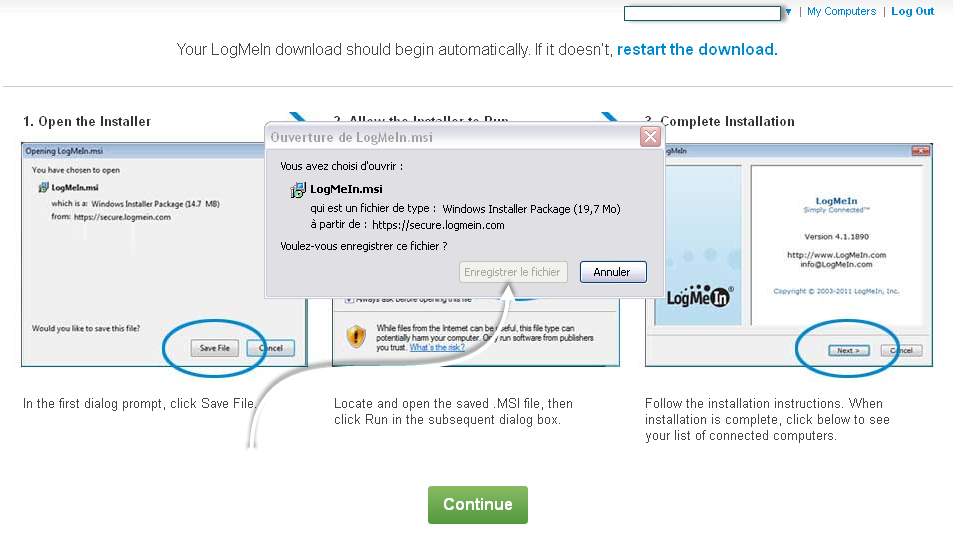
 Go to the Official Web site


Below is the Status Bar Icon


 80% of the Work is done , Now move on tou your device , Go the appstore and Download an app called Ignition

Here is a Direct Link to it 

Some of you might be upset about the price of the App , I would like to tell them that it really worth it ,but  in case you can't afford it  you may find what you're looking for in the following article 

Once you download the App


We have already Created an account  


You can also access  your Folders and files and you can even grab them to your iDevice


Enjoy and Share with your Friends  :)